n8n Automation Builds

Projects

A closer look at the automation systems I build, from the workflow structure to the working experience.

Voice Agent Receptionist

Dental Clinic AI Receptionist
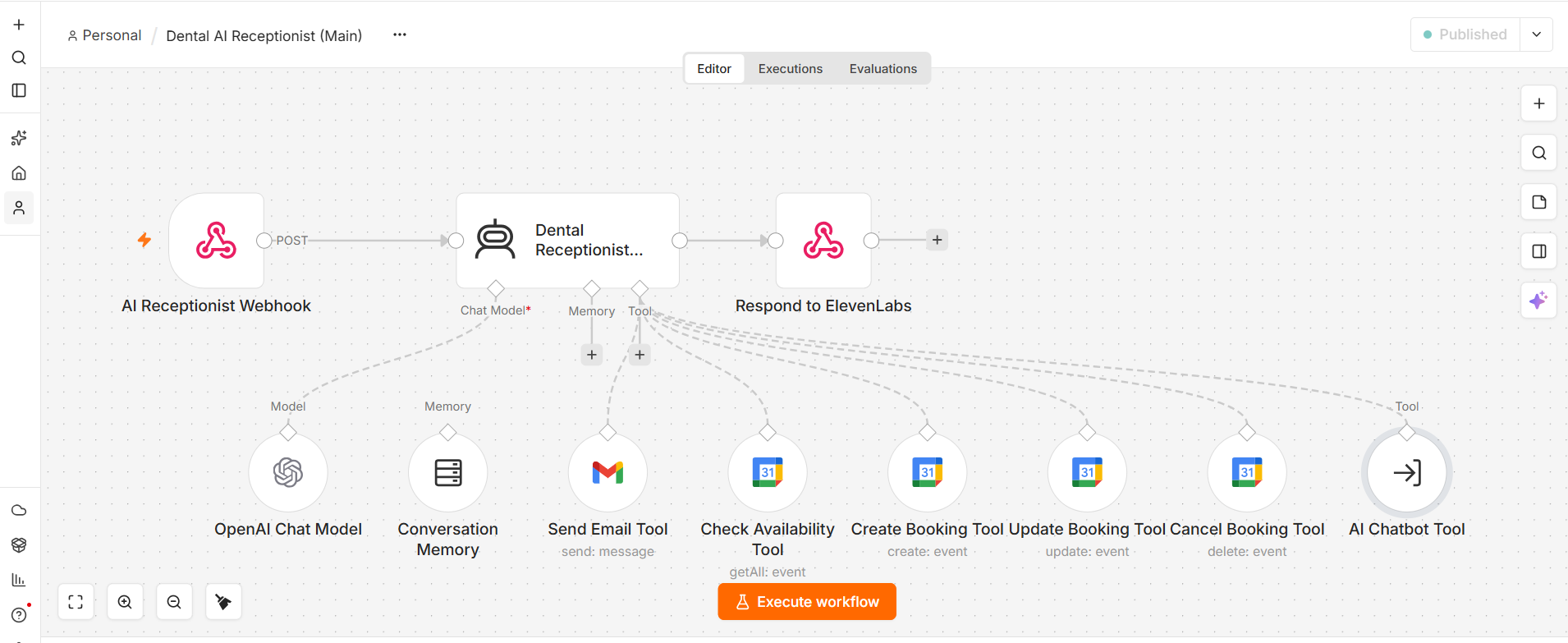
n8n workflow for a dental clinic AI receptionist voice agent

An AI voice receptionist built for a dental clinic to answer calls and manage appointments. The n8n workflow connects the voice agent with conversation memory, email, and Google Calendar tools so it can check availability, create bookings, update appointments, cancel bookings, and send confirmations during a natural conversation.

  • Answers patient calls
  • Checks calendar availability
  • Creates and manages bookings

Website Support Assistant

Website AI Assistant Chatbot

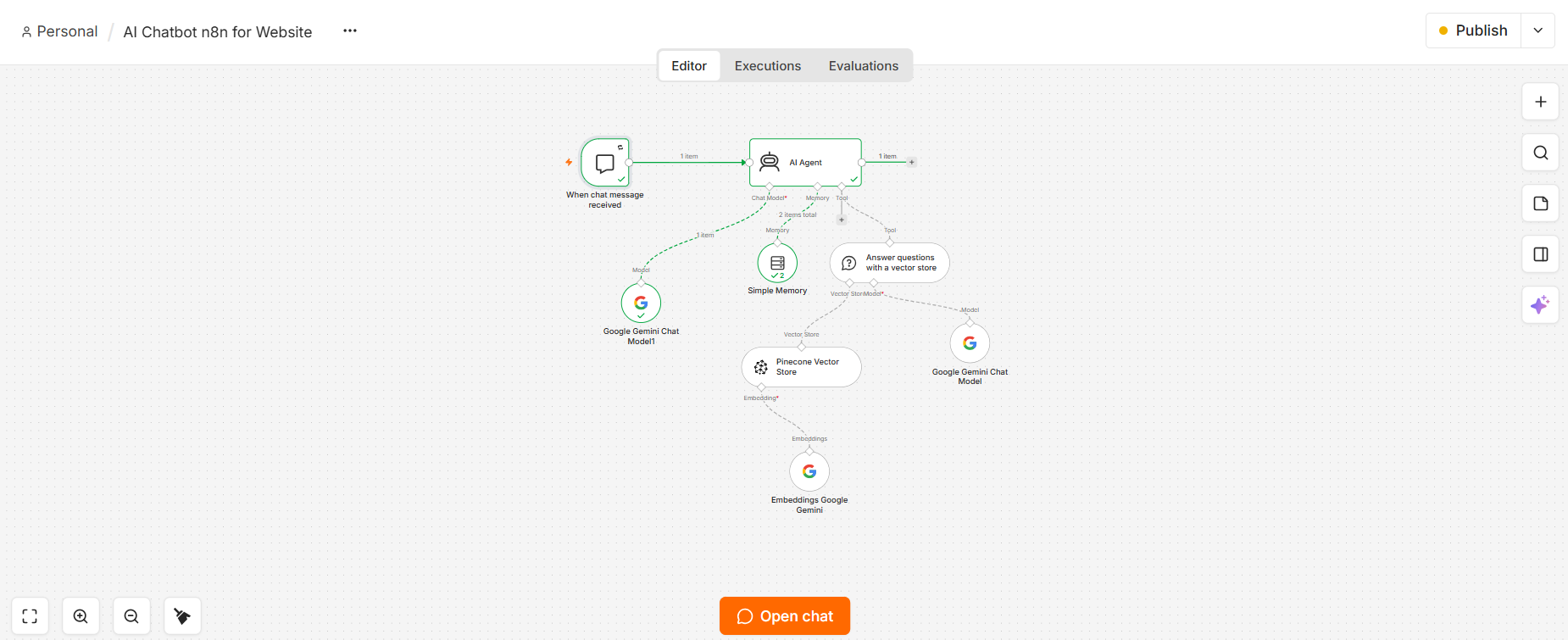
n8n workflow for an AI assistant chatbot installed on a website

An AI assistant chatbot installed directly on a website to answer visitor questions in real time. Its n8n workflow uses Gemini, conversation memory, and a connected knowledge base to understand each inquiry, find relevant business information, and return helpful, consistent answers around the clock.

  • Responds to website visitors
  • Remembers the conversation
  • Uses a business knowledge base

24/7 Inbox Automation Agent

AI Email Assistant

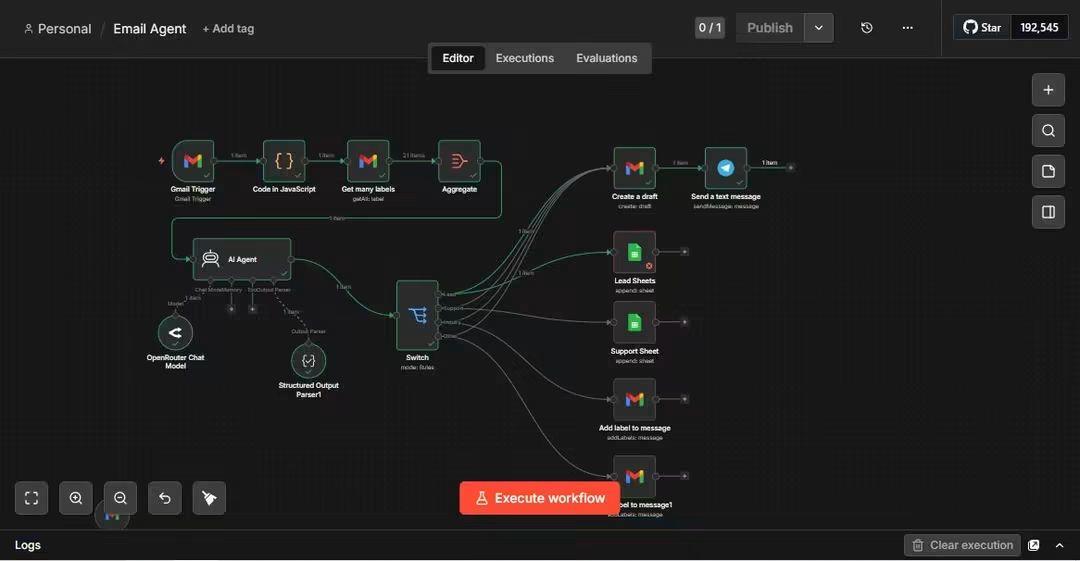
n8n workflow for an AI email assistant that reads incoming emails, classifies them, and routes them to a spreadsheet, a support tracker, a drafted reply, or an inbox label

This is an AI-powered email assistant that sits in your inbox and works 24/7 handling incoming emails automatically. Instead of a human manually opening every email, deciding what it is, and typing a response or forwarding it to the right person, the AI reads the email, understands what it's about, and takes the correct action on its own — instantly, the moment the email arrives.

How It Works

  1. 1

    An email arrives

    The system is watching your inbox in real time.

  2. 2

    The AI reads and understands it

    It checks the sender, subject, and message content, and cross-references your existing email folders and labels so it knows how you already organize things.

  3. 3

    The AI makes a decision

    Is this a new sales lead? A customer support issue? Something that needs a reply? Or just routine mail?

  4. 4

    The system acts automatically on that decision

    • If it's a potential customer or lead, it gets logged straight into a spreadsheet so nothing falls through the cracks.
    • If it's a support request, it's logged into a separate tracker so your team can follow up.
    • If it needs a reply, the AI writes a draft response and pings you with a text message so you just review and hit send — you're not starting from a blank page.
    • Every email also gets automatically labeled and organized in the inbox, so it's sorted without anyone lifting a finger.

Why This Is Valuable

Time savings

Instead of spending one to two hours a day sorting and responding to emails, the client (or their team) only touches the emails that truly need a human decision. Everything else is pre-sorted and pre-drafted.

Nothing gets missed

Leads and support tickets are captured automatically into a tracked system instead of getting buried in an inbox. This directly protects revenue — a missed lead is a missed sale.

Faster response times

Because a draft reply is ready almost instantly, response time to customers drops from hours to minutes, which improves customer experience and conversion rates.

Property Inquiry Response System

Real Estate Lead Follow-Up Automation

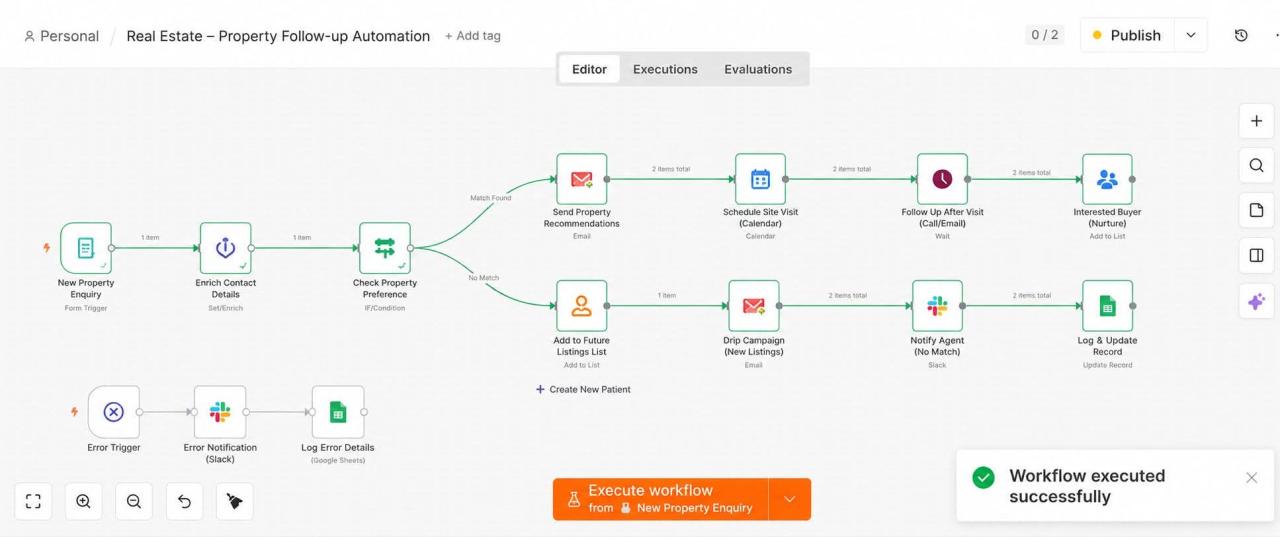
n8n workflow for real estate lead follow-up automation that captures an enquiry, enriches contact details, checks property fit, emails recommendations, books site visits, and routes no-match leads to a future listings list

This system takes over the entire follow-up process the moment someone inquires about a property. Normally, an agent has to manually check if the property matches what the buyer wants, send them listings, book a viewing, follow up after the visit, and keep notes updated — all of which takes time and often gets delayed or forgotten when an agent is busy with other clients. This workflow does all of that automatically and instantly, so every single inquiry gets a fast, consistent, professional response — whether the agent is free or not.

How It Works

  1. 1

    A new property enquiry comes in

    From a website form, for example — the system picks it up immediately.

  2. 2

    Contact details get enriched

    The system fills in or cleans up additional information about the buyer automatically.

  3. 3

    The system checks if the property matches the buyer's preferences

    It then splits into two paths depending on the result.

    Path 1 — Match Found

    • The buyer is emailed personalized property recommendations right away.
    • A site visit gets scheduled on the calendar automatically.
    • After the visit, the system automatically follows up by call or email after a set waiting period — so no visitor is ever left hanging after a showing.
    • If they're still interested, they get added to a nurture list, so the agent can continue building the relationship toward a sale.

    Path 2 — No Match Found

    • Instead of the lead going nowhere, they're added to a future listings list, so they're not lost.
    • They're entered into a drip email campaign that automatically alerts them as new matching listings come in.
    • The agent gets notified on Slack that this was a no-match, so they're aware and can step in personally if needed.
    • The record gets logged and updated, keeping the CRM and tracking sheet accurate without manual data entry.